

Imagine carrying a tray with four cups of hot chai while a friend keeps nudging you from different sides. Without thinking, your hands tilt and steady the tray so nothing spills. A drone in the air has to do the same thing, all the time. People call the flight controller “the drone’s brain”. That’s true, but it doesn’t tell you much. What is it actually doing while the drone hangs in the air, and why can’t you just wire the motors straight to your remote?
What does a flight controller do, in short?
A flight controller is a small circuit board that sits between your remote and your motors and decides how fast each motor should spin. Many times a second, it checks how the drone is moving, compares that with what you asked for, and nudges each motor to close the gap. You fly the drone, and the flight controller keeps it balanced while you do.
Key takeaways
- A flight controller keeps sensing, estimating, comparing and correcting many times a second. That loop keeps a drone steady.
- Pilot commands and motion sensors go in. Motor speed commands and telemetry come out.
- Flight modes decide how much of the flying the controller does for you, from steadying rotation to flying a whole mission.
The control loop, told through one gust of wind
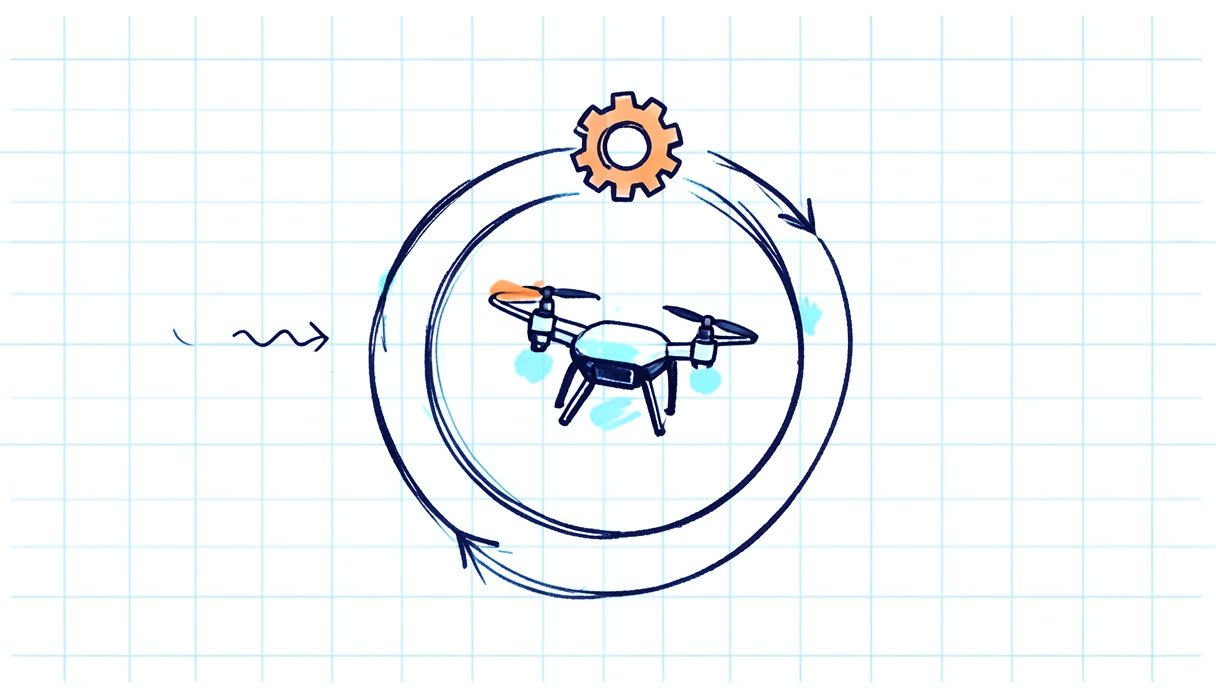
Picture your quadcopter hovering at head height over a college ground. It’s level and still, and your thumbs are resting on the sticks. Then a gust hits from the left and the drone tips to the right. Here is what the flight controller does next, written as code-shaped steps:
forever:
  sense: read the motion sensors
  estimate: work out the drone's current angle
  compare: error = target angle - current angle
  correct: change each motor's speed to shrink the error
Four steps, repeated over and over. Let’s walk through each one with that gust.
Sense: the motion sensors notice the tilt
The first job is to feel what just happened. Two sensors do most of this work. Together they are often called an IMU (inertial measurement unit), which works a lot like the balance organ in your inner ear. The gyroscope measures how fast the drone is rotating around three axes. Roll is tipping side to side, pitch is the nose going up or down, and yaw is turning flat, like a compass needle. The accelerometer measures acceleration, including the steady pull of gravity. When the drone isn’t being shaken about, gravity tells it which way is down. In our gust, the gyroscope reports a sudden roll to the right, and the accelerometer sees “down” shift to one side.
Estimate: working out the drone’s new angle
Here’s a surprise: neither sensor can be trusted on its own. The gyroscope reacts quickly and smoothly, but tiny errors add up over time, so the angle it works out slowly drifts. The accelerometer knows where down is in the long run, but vibration and every push and jolt confuse it, because it can’t tell gravity apart from shaking. So the flight controller blends the two. This is called sensor fusion: combining sensors so each covers the other’s weak spot. When you punch the throttle and the accelerometer is flooded with extra acceleration, a good estimate leans on the gyroscope for that moment, then uses the accelerometer to pull the drift back once things settle. The result is the drone’s attitude, its angle in the air. In our example the estimate now says, “I’m tilted to the right.”
Compare: what the pilot asked for versus what is happening
You haven’t touched the sticks, so the target is simple: stay level. The gap between the target and the estimate is called the error. Here the error is “tilted right when I should be level”. Now the controller has to decide how strongly to react. Think of balancing a pencil on your fingertip. Move your hand too little and the pencil falls, move it too much and you overshoot the other way. Most flight controllers handle this with a method called PID control. It looks at how big the error is now, whether a small error keeps lingering, and how fast the error is changing. PID deserves its own post, coming later in this series.
Correct: changing the four motor speeds
A quadcopter has no rudder and no flaps. The only things it can change are the speeds of its four motors, and that turns out to be enough. To roll back to the left, the controller speeds up the motors on the right side and slows the ones on the left. The extra lift on the right pushes that side up and the drone levels out. To pitch forward, it does the same trick front to back: back motors faster, front motors slower.
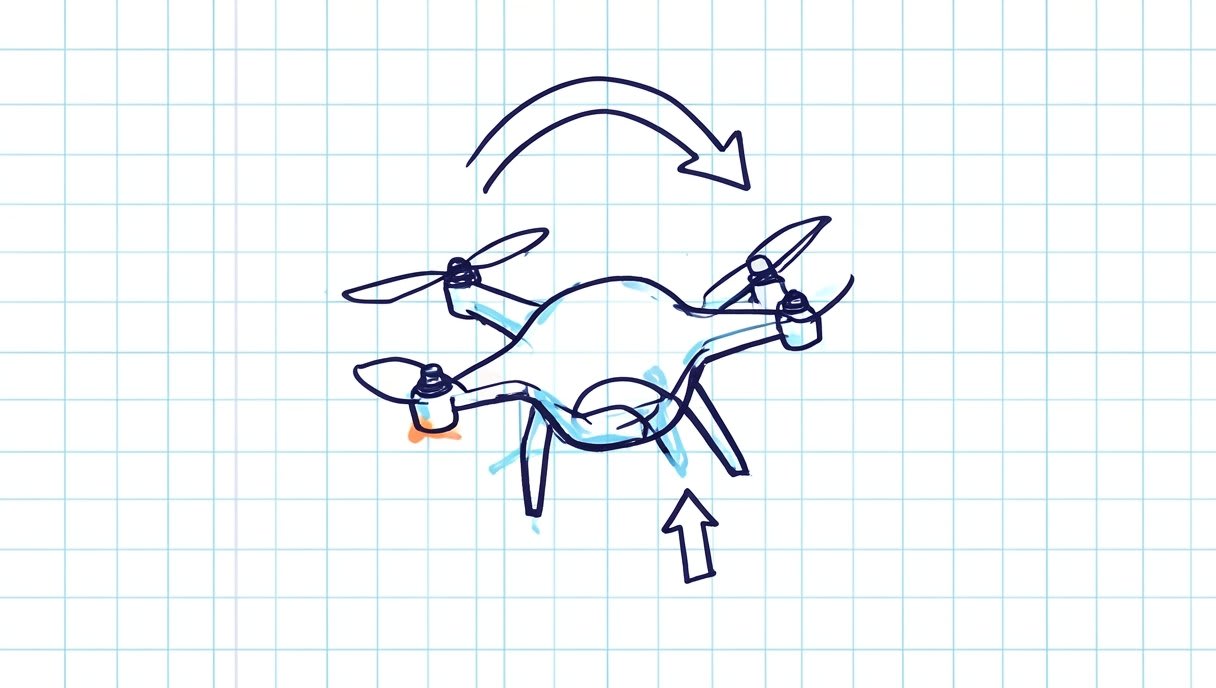
Yaw uses a different trick. Two propellers spin clockwise and two spin anticlockwise, so their twisting forces cancel out. Speed up one pair, slow the other, and the drone turns on the spot while total lift stays about the same. Then the loop starts again. On the next pass, the sensors see a drone that is partly level, so the error is smaller and the correction gentler. After many quick passes the drone is level again, and all you saw was a small wobble. Curious what those motors are and why most drones use one kind? Read brushed or brushless motors.
What goes in and what comes out?
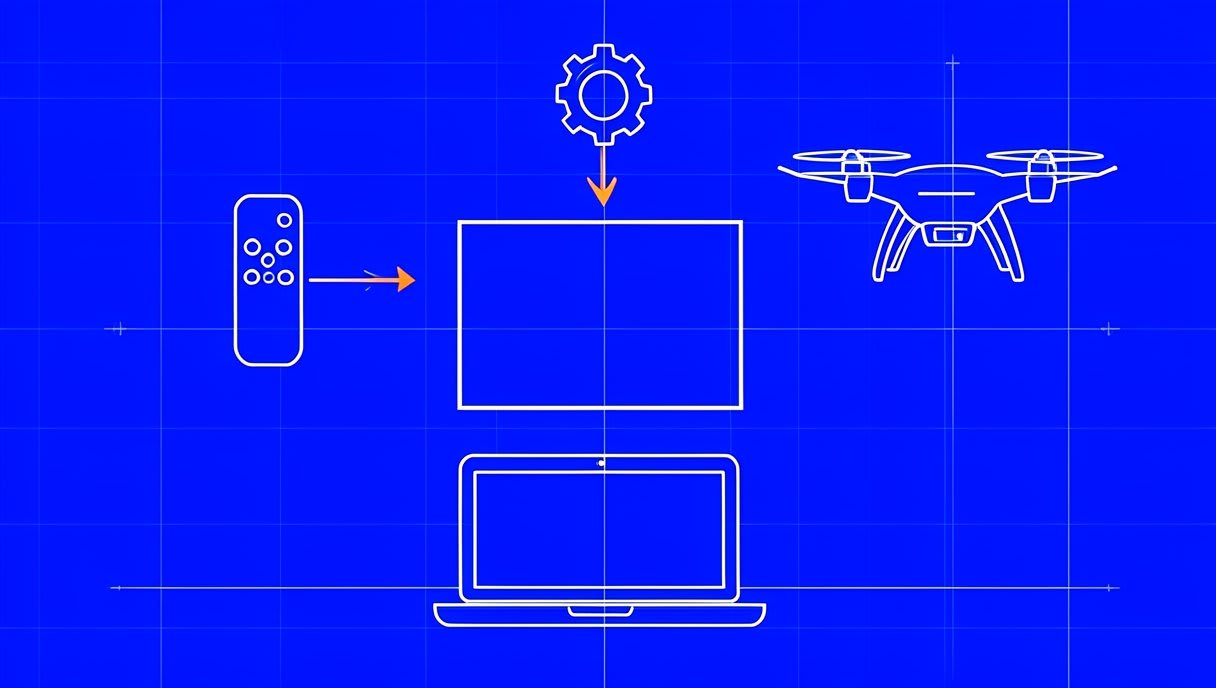
Now step back and look at the board as a box, with wires going in and wires coming out.
Inputs: commands and sensors
- Receiver: picks up the radio signal from your remote and turns your stick movements into commands for throttle, roll, pitch and yaw, plus any switch you use to change flight mode.
- Gyroscope: how fast the drone is rotating.
- Accelerometer: acceleration and the direction of gravity, so the drone knows which way is down.
- Barometer (optional): air pressure drops as you climb, so it helps estimate changes in height.
- Compass (optional): also called a magnetometer, it tells the drone which way its nose is pointing.
- GPS (optional): position on Earth and speed over the ground, which the drone needs to hold a spot or follow a route outdoors.
The gyroscope and accelerometer are the minimum. A small drone can fly steadily with only these two. The barometer, compass and GPS add new abilities on top: holding height, knowing heading and knowing place.
Outputs: motor commands and telemetry
The main output is a speed command for each motor. These go to the ESCs (electronic speed controllers), small circuits that take the command and switch battery power to the motor. The flight controller decides, and the ESCs do the heavy lifting. The second output is telemetry, a live stream of data about the drone, such as its angle, battery level, height, position and mode. It goes to a ground station, which is software on a laptop or phone that lets a person watch what the drone is doing. To see how those messages are packed and sent, read how telemetry messages work (MAVLink).
Why can’t you just connect the motors to the remote?
A quadcopter is naturally unstable. No two motors and propellers are exactly alike, so one side always makes a little more lift than the other. That small difference starts a tip. The tip tilts the thrust, the drone starts sliding, and the tilt grows. Add a gust or a battery strapped slightly off-centre, and an uncontrolled quadcopter can flip in moments. The corrections it needs are small, constant and fast, and spread across four motors at once. No human thumb can do that. A simple radio-controlled plane is different, because its wings and tail tend to pull it back towards steady flight on their own. So the jobs are split. You give the intention: go forward, climb, turn. The flight controller handles the balance, a bit like your body keeps a bicycle upright while you decide where to ride.
How do flight modes change the controller’s job?
The loop never stops running. What a flight mode changes is the target the loop chases, and how much of the flying you hand over. Think of driving: sometimes you do everything yourself, sometimes cruise control holds the speed, and sometimes a map app plans the route.
From rate flying to a planned mission
Here are the common multirotor modes, from the pilot doing the most work to the controller doing the most. Different flight software may use different names for them.
- Acro or rate mode: your sticks set how fast the drone rotates. Let go and it stays at whatever angle it was at. The controller only steadies the rotation, and you do the balancing, which is why FPV (first-person view, flying through a live camera feed) freestyle and racing pilots use it.
- Angle or self-level mode: your sticks set a tilt angle. Centre the sticks and the drone levels itself, which is why many beginners start here.
- Altitude hold: on top of self-levelling, the controller holds the height using the barometer and accelerometer.
- Position hold: with GPS and a compass, the drone stays over one spot even when a breeze pushes it.
- Automatic mission: the drone follows a route of waypoints (points on a map) planned on a ground station, and the pilot mostly watches.
At each step, the same sense, estimate, compare, correct loop is running. The only thing that changes is who sets the target: your thumbs, a held height, a GPS point or a planned route.
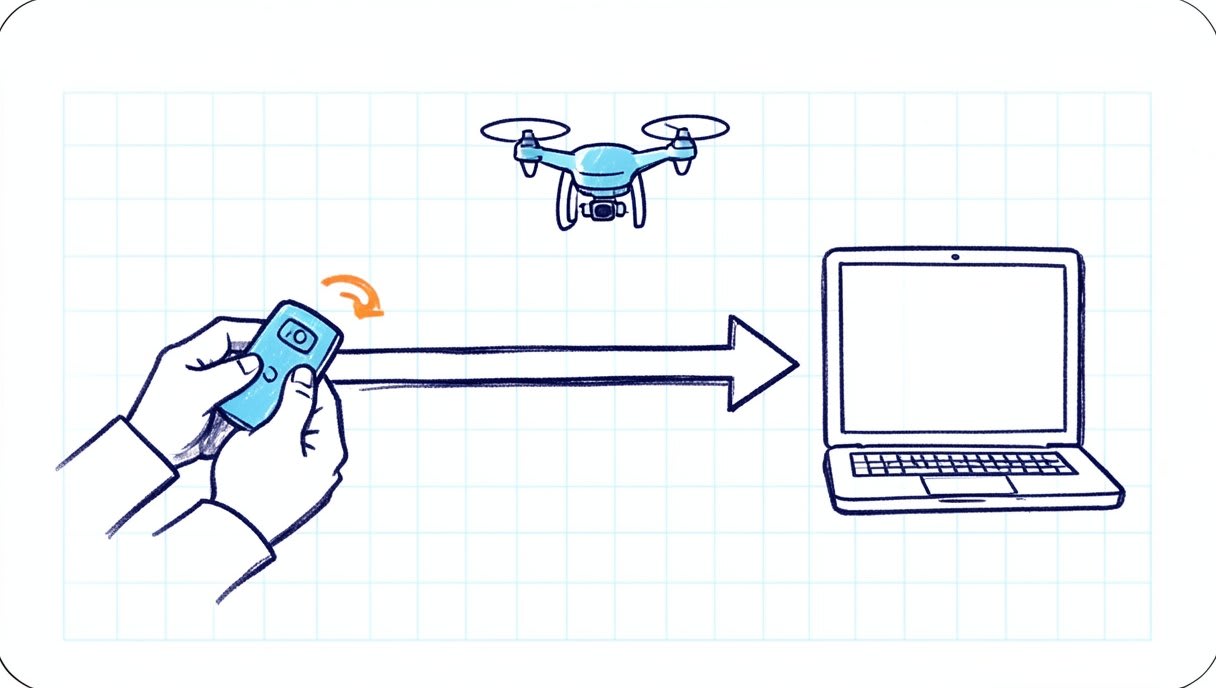
Reading about acro mode is one thing, and holding a drone steady yourself is another. Try it in the free browser simulator at sim.aasmaaerospace.in: no install, keyboard controls and six missions. You’ll feel why steady flying takes practice (more about our free online drone simulator).
Same idea, different flight software
The program running on a flight controller is called firmware. Several open-source communities build their own firmware around this same control loop, each aimed at a different kind of flying:
- Betaflight: flight control focused on FPV and racing.
- INAV: navigation-focused FPV flight control.
- ArduPilot: an autopilot for copters, planes and rovers, including missions. Start with ArduPilot for students.
- PX4 Autopilot: an autopilot used in research and industry.
None of these is “the best”. They have different goals, and thousands of volunteers keep them going. A side-by-side look at which suits which kind of flying is coming later in this series.
Go deeper: watch the loop and read real code
Want to see the loop happen instead of just reading about it? A ground station shows the flight controller’s live attitude and sensor data. QGroundControl is a cross-platform ground station for PX4 and ArduPilot, and Mission Planner is a Windows ground station for ArduPilot. With the propellers removed, tilt the drone gently by hand on a desk and watch the on-screen horizon follow you. That moving horizon is “sense” and “estimate” happening live. If you’d rather read code, two small open projects are good places to start. The Crazyflie firmware runs a nano quadcopter used in research and classrooms. ESP-Drone from Espressif is a mini drone built around Espressif’s ESP32 chip, with open hardware and firmware. As you browse, look for where the sensors are read, where the angle is estimated and where the motor speeds are set.
Frequently asked questions
Can a drone fly without a flight controller?
A multirotor like a quadcopter cannot fly steadily without one. It needs constant, fast corrections across all its motors, and a person can’t make those by hand. Some simple radio-controlled planes can fly without one, because their wings and tail give them natural stability.
What sensors does a flight controller use?
At minimum, a gyroscope and an accelerometer, which together tell it how the drone is rotating and which way is down. Many flight controllers also use a barometer for height, a compass for heading and GPS for position. Each extra sensor unlocks modes such as altitude hold or position hold.
Is the flight controller the same as the ESC?
No. The flight controller decides how fast each motor should spin. The ESCs carry out those commands by switching battery power to the motors.
Try it yourself
You now know what happens behind that “brain” label: sense, estimate, compare, correct, many times a second. See what steady flight takes by flying free in your browser at sim.aasmaaerospace.in. Build it. Fly it. Code it. One question to take with you: how does a sensor smaller than a fingernail know which way is up? That’s where this series goes next, with gyroscopes and accelerometers.


