

What if you could open up a real flying drone’s code and see exactly how it keeps itself in the air? That is what ESP-Drone offers. It is an open project from Espressif and its community, and this post explains what it is, what it can teach you, and how to take your first step without spending a rupee.
Key takeaways
- ESP-Drone is an open ESP32-based mini drone project from Espressif and its community, with code and design files you can read.
- It shows ideas that many quadcopters rely on: sensors, a control loop and motor mixing.
- You can start for free by reading the official docs and browsing the GitHub repository before you build anything.
What is ESP-Drone?
ESP-Drone is a mini drone project built around the ESP32, a well-known family of small microcontrollers with built-in Wi-Fi. A microcontroller is a tiny computer on one chip that runs a single program over and over. The project’s hardware and firmware (the program that runs on the drone) are both open for you to study. Think of it as a recipe book that a working kitchen has published. You can read every step. You are not limited to eating the finished dish.
Who makes it, and who keeps it going?
Espressif, the company behind the ESP32 chips, publishes ESP-Drone on its official GitHub repository, an online home for the project’s code and files. Community members also contribute, and you can see who has helped on the repository’s contributors list. Credit belongs to Espressif and to everyone who has added code, fixed bugs or improved the docs. That is how open projects stay alive.
What does “open hardware and open firmware” mean here?
“Open” means the design files and source code are public. Under the project’s licence, you can read them, learn from them and often adapt them. The licence sets the exact terms, so read it before you reuse anything. For ESP-Drone, the code lives in the GitHub repository. The official documentation explains the project, including its hardware. So if you have ever wondered what is really inside the program that flies a drone, here is one you can open.
What can a student learn from ESP-Drone?
A lot, because quadcopters share the same core problems. Here are two ideas worth looking for as you read.
How does a quadcopter keep itself stable?
Balancing a broom on your palm is a good comparison. Your eyes notice the tilt, your brain decides how far to move, and your hand corrects. You repeat this constantly, without thinking. A drone does the same with three parts:
- Sensors measure tilt and rotation. These are usually a gyroscope (which senses turning) and an accelerometer (which senses which way is down).
- A control loop compares where the drone is with where it should be, then works out a correction. It does this many times a second.
- Motor mixing turns that correction into a separate speed for each of the four motors.
In code-shaped steps, the loop looks like this:
forever:
  read gyro and accelerometer
  estimate current tilt
  error = target tilt - current tilt
  correction = controller(error)
  motor speeds = mix(throttle, correction)
  send speeds to motors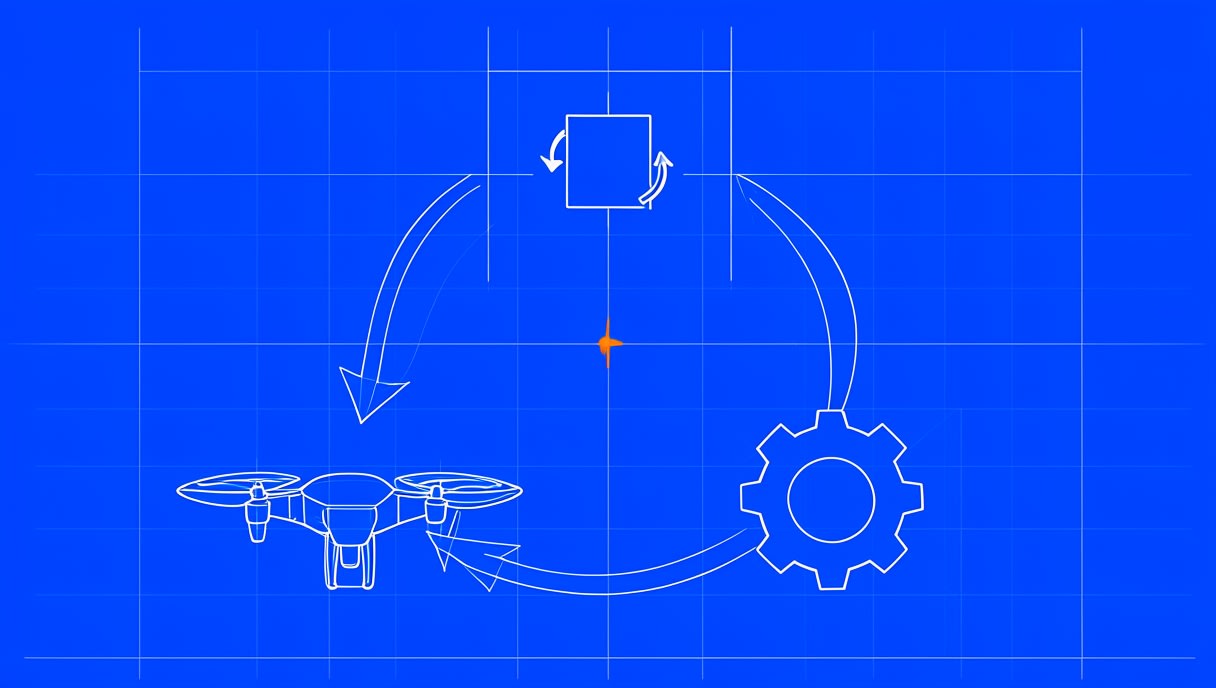
This is the hardest idea in the post, and also the most rewarding one. Keep the loop in mind as you scroll through the ESP-Drone docs, and look for where the project explains its sensors and control.
How you actually control ESP-Drone is described in its official docs, so read that section there rather than relying on someone’s summary. If you want ideas for what to try after a build, see what to do after you build an ESP32 drone.
What does real flight firmware look like?
Most beginners only ever see short example programs. A real flight project is bigger and organised into folders, and each folder handles one job. Browsing the repository shows you how experienced developers split a hard problem into manageable parts. Wondering which programming language you will need to read it? This guide on the best language for drone programming can help.
How do you get started with ESP-Drone?
You do not need to buy anything to begin. Follow these three steps in order.
Step 1: Read the official docs
Open the ESP-Drone documentation and look at the table of contents first. Read the introductory pages before the hardware and firmware sections. Make notes on any term you do not know.
Step 2: Browse the GitHub repository
Visit the repository and start with the README file, the project’s front-page introduction. Next, click through the folders to see how the project is laid out. Finally, read a few issues, which are the public questions and bug reports, to see how the community solves problems together.
Step 3: Plan a build (only if you want to)
The official docs describe the hardware, so use them as your source for parts. Before you start, read about common first-drone setup mistakes. Always check the official government rules before flying any drone outdoors.
Where can you go next in open-source drones?
- Crazyflie by Bitcraze: another open nano quadcopter used in research and classrooms (firmware repository).
- ArduPilot on ESP32 (experimental): early work to run ArduPilot, a full autopilot project, on ESP32 chips (AP_HAL_ESP32 folder).
If you want a structured route through all of this, try this free drone programming learning path.
FAQ
Is ESP-Drone open source?
Yes, its code is public on GitHub, and the repository includes a LICENSE file. Open that file to see which licence applies and what it allows you to do. Check it before you reuse or share any of the code.
What do I need to build an ESP-Drone?
The official docs describe the hardware, so start there. Parts and availability can change, which is why the docs are a better guide than any blog list. Read them fully before you buy anything.
Can a beginner learn from ESP-Drone?
Yes, if you start by reading. The docs and code show real drone concepts at work, such as sensors, control loops and motor mixing. Read and explore first, then decide whether a build is right for you.
Practise flying before you build
Want to feel how a drone responds before you build one? Try flying for free in the Aasma browser simulator at sim.aasmaaerospace.in, which runs in your browser with no install. So here is the next question: once the sensors report a tilt, how exactly does the controller decide how hard to push back?


